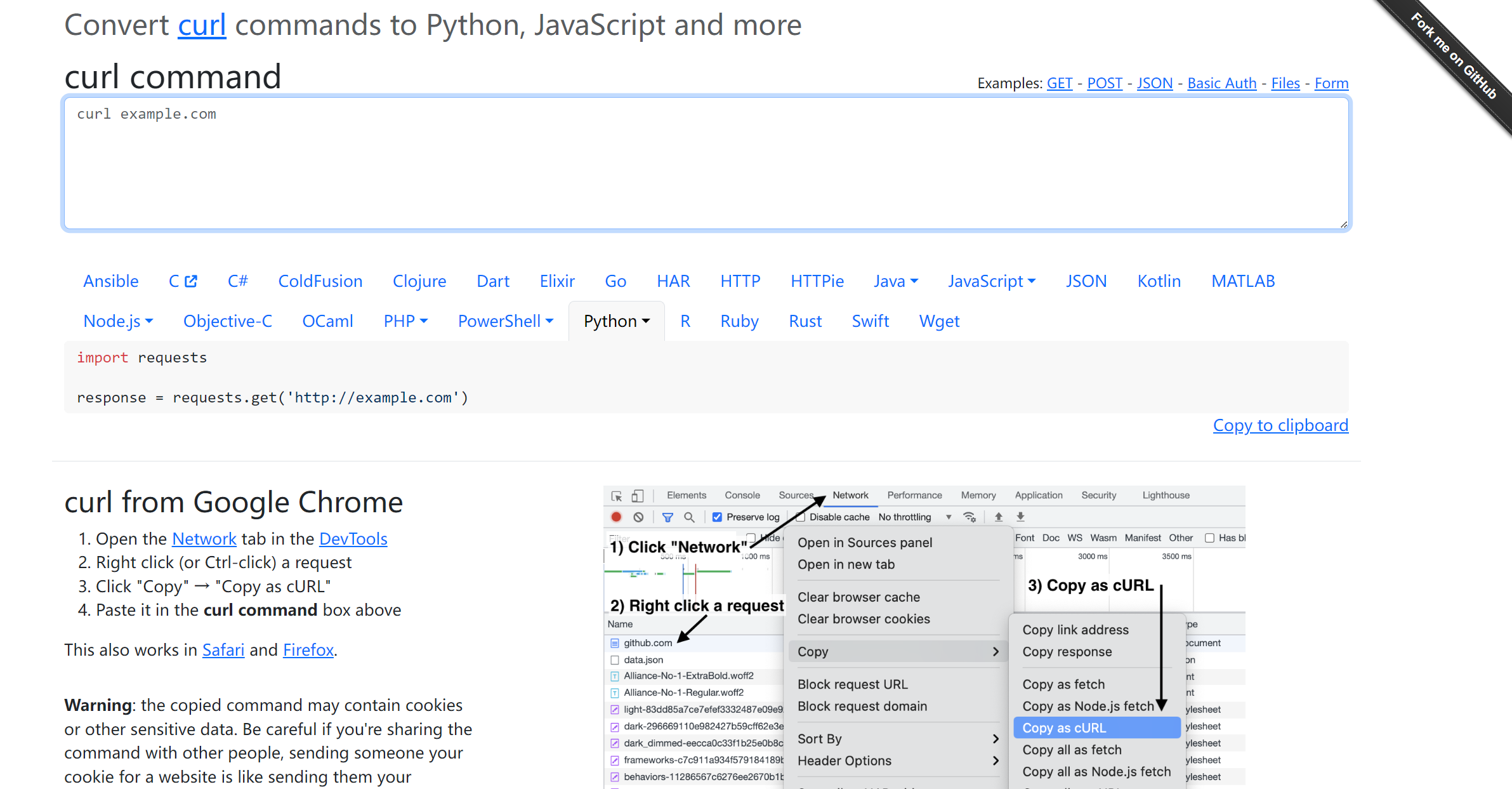
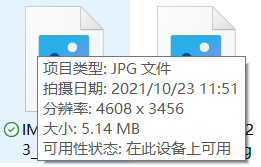
难倒是不难,网上也有相关代码和教程。主要是这两个都有些实现问题,顺手再记录一下坑点。
为什么会有半小时过期的 Token 啊?
如果真有照片多的小白登陆进去一张张点击下载,拉到很下面结果半小时一到提示 Cookie 过期。重新登录进去又得滚动页面到原来的地方(滚动页面一次就几张)才能下载,很难不骂人。
listNormalPhotos 接口返回的不是原图链接
最上面的两个链接也提到了,只是 originalPhotoUrl 接口里面这个字段很有迷惑性。
获取图片 id 的时候有概率 status_code == 500
在网页上第一次点击相册请求 listNormalPhotos 接口或滚动页面加载新图的时候会出现 500。原理不明,代码不管加不加 time.sleep() 都会触发。
一次只能请求一百张
批量获取图片图片的 getRealPhotoUrls 接口只能传 100 个 id,而且还是这种形式:
1
2
3
|
data = {
        "ids": '["id1", "id2", ...]'
}
|
requests 重试
相关 Cookie 直接在 curlconverter 获取即可。

 1
 2
 3
 4
 5
 6
 7
 8
 9
10
11
12
13
14
15
16
17
18
19
20
21
22
23
24
25
26
27
28
29
30
31
32
33
34
35
36
37
38
39
40
41
42
43
44
45
46
47
48
49
50
51
52
53
54
55
56
57
58
59
60
61
62
63
64
65
66
67
68
69
70
71
72
73
74
75
76
77
78
79
|
import json
import requests

from collections import Counter
from requests.adapters import HTTPAdapter, Retry

# init session
session = requests.Session()
# retry
retries = Retry(total=3, backoff_factor=1)
session.mount("http://", HTTPAdapter(max_retries=retries))
session.mount("https://", HTTPAdapter(max_retries=retries))
# cookie
session.headers.update(headers)
session.cookies.update(cookies)

# URL
LIST_PHOTO_API = 'https://cloud.h2os.com/gallery/pc/listNormalPhotos'
REAL_PHOTO_API = 'https://cloud.h2os.com/gallery/pc/getRealPhotoUrls'

def get_photo_ids() -> list:
    """
    listNormalPhotos 接口的 originalPhotoUrl 也是压缩过的图片 url
    只能建立 title id 关联,再从 getRealPhotoUrls 传 ids 获取
    """
    result = []
    seen = []  # 游标计数列表
    next_cursor = ""  # 第一个 cursor 为空
    next_photo_index = 2  # 第一个游标数值不影响
    query_body = {
        "size": "100",
        "state": "active",
        "smallPhotoScaleParams": "image/resize,m_mfit,h_250,w_250",
        "originalPhotoScaleParams": "image/resize,m_mfit,h_1300,w_1300",
    }
    while True:
        # 当 cursor 再次出现,计数 > 1,说明已加载完所有图片
        if 2 in list(Counter(seen).values()):
            with open("title_id.txt", "w") as f:
                f.write(f"{json.dumps(result)}")
                print(f"photos count: {len([x['id'] for x in result])}")
                break
        try:
            query_body.update(
                {
                    "cursor": next_cursor,
                    "realPhotoIndex": next_photo_index,
                }
            )
            response = session.post(url=LIST_PHOTO_API, data=query_body)
            # 遇到 403 需要重新登录直接退出重新获取 Cookie
            if response.status_code == 403:
                print(f"status_code: 403, unauthority")
                break
            # 一加云第二次请求大概率 500,返回内容无法解析,捕获 JSONDecodeError 后用上次的 cursor 重新请求
            elif response.status_code == 500:
                print(f"status_code: 500, reuse last cursor: {next_cursor}")
                continue
            elif response.status_code == 200:
                # cursor
                json_data = response.json()
                next_cursor = json_data["lastMatchedMoment"]
                next_photo_index = json_data["realPhotoIndex"]
                seen.append(next_cursor)  # 请求成功才会加入 seen
                print(f"status_code: {json_data['errCode']}, next_cursor: {next_cursor}")
                # photo
                photos = json_data["photos"]
                for key, value in photos.items():
                    for photo in value:
                        infos = {
                            "title": photo["title"],
                            "id": photo["id"],
                            "url": "",  # 暂时给一个空字段 url,后续靠 id 映射
                        }
                        result.append(infos)
            else:
                print(f"status_code: {response.status_code}, unknow error")
        except requests.exceptions.JSONDecodeError:
            pass
|
去重
经过上面的请求之后有概率会出现重复图片。
 1
 2
 3
 4
 5
 6
 7
 8
 9
10
|
def remove_duplicate_photo():
    with open(join(DIR_PATH, "title_id.txt"), mode="r", encoding="utf-8") as f:
        photos = json.loads(f.read())

    print(f"before duplicate count: {len(photos)}")
    new_list = [dict(d) for d in (set([tuple(photo.items()) for photo in photos]))]
    print(f"after duplicate count: {len(new_list)}")

    with open(join(DIR_PATH, "title_id.txt"), mode="w", encoding="utf-8") as f:
        f.write(f"{json.dumps(new_list)}")
|
mapping
根据 id 获取原图链接。
 1
 2
 3
 4
 5
 6
 7
 8
 9
10
11
12
13
14
15
16
17
18
19
20
21
22
23
24
25
26
27
28
29
30
|
import time


def split_array(source_array, split_num):
    return [x[i:i + split_num] for i in range(0, len(source_array), split_num)]

def get_origin_url():
    """多线程会触发 500,每次只能请求 100 张图片"""
    with open(join(DIR_PATH, "title_ids.txt"), mode="r", encoding="utf-8") as f:
        photos = json.loads(f.read())

    ids = [x["id"] for x in photos]
    split_ids = split_array(source_list=ids, n=100)
    for si in split_ids:
        query_data = {"ids": f"{si}"}
        resp = session.post(url=REAL_PHOTO_API, data=query_data)
        try:
            mapping = resp.json()  # {'1593633341915388416': 'https://testing-oneplus}
            for photo in photos:
                if photo["id"] in mapping.keys():
                    photo["url"] = mapping[photo["id"]]
                    continue
        except Exception as e:
            print("数据不完整,请重新来一遍")
            break
        finally:
            time.sleep(1)  # 避免 statsu_code == 500

    with open(join(DIR_PATH, "title_id_url.txt"), mode="w", encoding="utf-8") as f:
        f.write(f"{json.dumps(photos)}")
|
最后得到的是这种形式的文件:
1
2
3
4
5
6
7
8
|
[
  {
    "title": "IMG_20230210_182131.jpg",
    "id": "1593633341915388416",
    "url": "https://testing-oneplus-gallery.oss-cn-shanghai.aliyuncs.com/stores/oneplus-gallery/data/"
  },
  ....
]
|
下载
不用 asyncio.run() 避免 RuntimeError: Event loop is closed ,参考 python协程:RuntimeError: Event loop is closed解决办法。
 1
 2
 3
 4
 5
 6
 7
 8
 9
10
11
12
13
14
15
16
17
18
19
20
21
22
23
24
25
26
27
28
29
30
31
32
33
34
35
36
37
38
39
40
41
42
43
44
45
46
47
48
49
50
51
|
import asyncio
import json
import aiofiles
import aiohttp
import requests

from os.path import abspath, dirname, join


DIR_PATH = dirname(abspath(__file__))

def callback(future):
    return future.result()

def get_client_session():
    client_session = aiohttp.ClientSession()
    return client_session

def close_client_session(client_session):
    client_session.close()

async def fetch(client_session, title, url):
    async with client_session.get(url) as resp:
        if resp.status == 200:
            async with aiofiles.open(title, "wb") as f:
                await f.write(await resp.read())
        res = {"code": resp.status, "title": title}
        return res

async def download():
    with open(join(DIR_PATH, "title_id_url.txt"), mode="r", encoding="utf-8") as f:
        photos = json.loads(f.read())
    tasks = []
    client_session = get_client_session()
    for photo in photos:
        task = asyncio.create_task(
            fetch(
                client_session=client_session,
                title=join(DIR_PATH, f"Camera/{photo['title']}"),
                url=photo["url"],
            )
        )
        task.add_done_callback(callback)
        tasks.append(task)
    await asyncio.gather(*tasks)
    close_client_session(client_session)


if __name__ == "__main__":
    loop = asyncio.get_event_loop()
    loop.run_until_complete(download())
|
 次阅读
次阅读